
A new company and a new direction bring great changes to our customers. On May 23, 2016, we held a customer webcast where we talked about the new features and enhancements to the RizePoint platform and Mobile Auditor.
New User Interface
First things first. With a new company, comes a new look. It’s been obvious that the focus on improvements in the product to-date has NOT been in the UI. As enhancements and best practices continue to improve the user experience on personal devices, we know that enterprise tools must be user-friendly, too. You can see we’ve introduced a fresh look and cleaner navigation at the top of the web portal.
We’re excited for you to experience RizePoint with a whole new look. Mobile Auditor (our new mobile auditing app that shipped January of this year) also underwent a new set of clothes. We were able to keep all of the core functionality in the app, but make finding those features easier and more pleasing.
As a product team, we’ll continue to make the user experience a top priority so the content makes sense to you as a customer.
Management Dashboards
Now on to the largest part of this release. Having the right visibility into data to make decisions is important. Phase 1 of the process is where Directors, Property Managers, District Managers, or VP’s spend a large amount of time hunting for the results of completed assessments. After they get their hands on the information they need, Phase 2 begins. Sifting through mounds of data to compile into spreadsheets. YUCK!
RizePoint understands this pain and we’re now including out-of-the-box dashboards that we’ve built for you. All you need to do is login and start consuming (with a little bit of setup at the beginning).
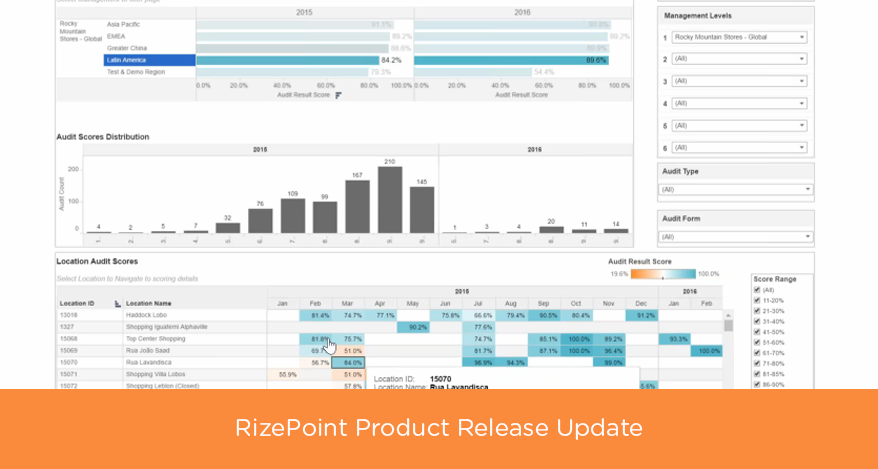
Here’s a preview of each dashboard:
Scoring Dashboard
This dashboard is focused on showing overall percentage score trends based on management hierarchy and location level. There are two drill down reports: 1) Drill down for RATINGS from the Management Audit Scores on Main Dashboard showing rating trends and location details; 2) Drilldown to Location Scoring Details to see scores for a specific location – average overall, audit category, and report category scoring.
Non-Compliance Dashboard
This dashboard focuses on non-compliant response counts and percentages at varying levels of view such as audit form, audit type, report category, audit category. There is detail provided to see which questions were most non-compliant, including the findings (pre-defined comments) associated to the question. Drill down sub-reports are available to see more details on locations that missed the question, count of findings associated, answers tied to non-compliance, and questions tied to findings.
Corrective Action Management (CAM) and Action Plan Dashboards
CAM Dashboard works with the CAM feature, while the Action Plan Dashboard works with the action plan executive summary feedback report. These dashboards focus on days overdue, coming due, and due with regards to action plan ITEMS defined. There is a drill down report to look further at trends related to in-progress and completed ITEMS. Detail level provides review by locations with drill down available to look at the ITEM detail that defines the action plan and date attributes.
CAM Approval Dashboard
The CAM Approval dashboard is related to CAM feature for approving corrective actions. It displays plan information related to approval steps and durations by location. It has drill down reports to details about the steps and question comparisons for durations.
Auditor Dashboard
The auditor dashboard provides insight into audit companies and auditors conducting the audits – counts, scoring average audit duration, ratings, and types of audits. It has drill down to see audit category and report category score information by audit company or auditor. It also has a drill down to see more details around the auditor scoring – trends based on day of week and month of year.
Training Videos and Documentation
We’ve created a set of short videos that go over Management Dashboards and walk you through how to use them HERE. As always, you can access our documentation for step-by-step instructions on how to use various features.
About the Author
As Vice President of Product, Tim Harris leverages nearly 20 years of cloud-solution product leadership to drive RizePoint’s industry-defining products. Harris joins RizePoint from inContact, where he was Vice President, Product Management and Principal Product Owner. There, he was responsible for ensuring the coordination and continued creation of a unified cloud platform. Prior to this, he was instrumental in the product development workflow for inContact in his roles as Sr. Director of Product Management, Sr. Director of Cloud Ecosystem, and Director of Cloud Solutions. Harris holds two patents related to Business Communication and Call Routing.